AI Art Generator: Free AI Image Generator & Editor | OpenArt
Explore AI image generators with our free photo generators & editors
Introduction
Explore AI image generators with our free photo generators & editors. Perfect for transforming ideas into stunning visuals using text-to-image prompts.
Overview
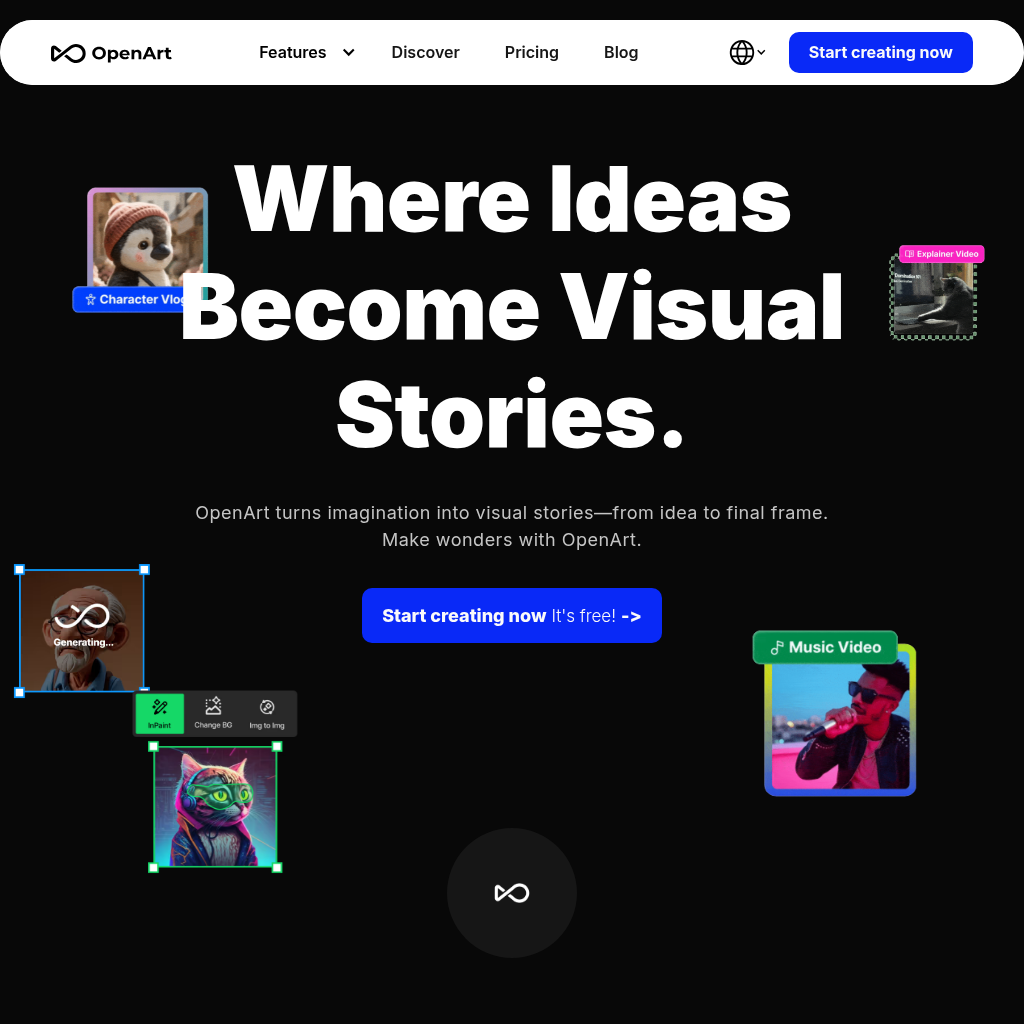
AI Art Generator: Free AI Image Generator & Editor | OpenArt is a free AI-powered image generator and editor that transforms ideas into stunning visuals. The platform allows users to create images from text prompts (Text to Image), edit existing images (Image to Image, Inpainting, background removal, etc.), and apply various styles and references to their creations (Style Reference, Pose Reference, Composition Reference). By providing tools such as AI Filters, Image to Video, and a QR Code Generator, OpenArt empowers users to bring their imagination to life, solve the challenge of creating captivating visuals without requiring artistic skills, and offers a way to streamline creative workflows, allowing for anyone to generate unique and professional-looking images.
Key Features
Frequently Asked Questions
Pros & Cons
Advantages
- Text-to-image generation.
- Image-to-image generation.
- Style and pose reference features.
- Various image editing tools.
- AI Apps for image manipulation.
- Supports multiple languages.
- Free to use.
Disadvantages
- May have limitations in image quality.
- Dependence on AI algorithms.
- Potential for misuse.
- Requires internet access.
Use Cases
- Creating marketing materials (images, graphics) for businesses, such as social media posts, ads, and website visuals.
- Generating illustrations and artwork for articles, blog posts, and other content.
- Designing custom artwork for personal projects.
- Creating variations of images and art styles.
- Editing existing images, including fixing faces, enhancing quality, and changing backgrounds.
- Developing images from text prompts (text-to-image).
- Creating images from existing images (image-to-image).
- Generating images based on style, pose, and composition.
- Producing videos from images.
- Generating QR codes.
Who Is It For?
- Marketing professionals and social media managers.
- Content creators and bloggers.
- Graphic designers.
- Artists and illustrators.
- Small business owners.
- E-commerce businesses.
- Educators creating visual aids.
- Individuals seeking to create images for personal projects.
- Advertising agencies.
Analytics Overview
Last updated June 8, 2026
Visits Over Time
Traffic Sources
Geography
Top Keywords
Explore more features and start using AI Art Generator: Free AI Image Generator & Editor | OpenArt
Related Products
Check out these similar products you might be interested in
Flux AI Pro
The most advanced Flux AI image generator. Excellent for text rendering and prompt following. Powered by Flux.1 Pro model.
Suno | AI Music
Create stunning original music for free in seconds using AI. Make your own masterpieces, share with friends, and discover music from artists worldwide.
Plus AI presentation maker | Stop making slides the old way
Create stunning presentations in minutes with Plus AI, the top-rated AI presentation maker for PowerPoint and Google Slides. Built for pros. Start your free 7-day trial today.
Free Text to Speech & AI Voice Generator | ElevenLabs
Create lifelike speech with our AI voice generator and text to speech. 1000s of voices in 70+ languages with secure, scalable APIs and SDKs.
Build Apps with AI in Minutes | Base44
From idea to live app in minutes. Base44 gives you the tools to launch fully-functional apps - no code, no setup, no hassle.
Kilo Code - The best AI coding agent for VS Code and JetBrains
Write code more efficiently by generating code, automating tasks, and providing suggestions
DolphinRadar: All-in-One Instagram Tracker and Analyzer
Boost your Instagram strategy with DolphinRadar. Analyze follows, likes & audience trends with AI—fast, private, and 100% platform compliant.
UploadHaven - File Sharing Made Simple
UploadHaven - File Sharing Made Simple